From your presenter portal, find the proposal you want to edit, click the CLICK TO VIEW/EDIT button, and click the link to the right that reads "View/edit this section."
Format is not editable once entered. All other fields are editable until the submission deadline.
Session titles and descriptions are editable through January 30th then internally edited for grammar, spelling, style, brevity, clarity and tone. Send editing questions to conf-program@ascd.org. Sessions will be publicly visible within the online program search starting in mid-February.
Presenters will receive an email notification in mid-December when proposal acceptance or decline notices have been posted on presenter portals. If accepted, each presenter will need to log into their presenter portal to confirm participation and sign a model release.
All presenters must sign a Participation Agreement/Model Release form for each accepted session by January 30, 2026.
Submitter of student presentations that are streamed/recorded are responsible for obtaining permission for each student and will be contacted with details in May.
Add presenter(s) to your session proposal by logging in to your presenter portal. Find the proposal you want to edit, click the CLICK TO VIEW/EDIT button, and scroll to the bottom of the page to the "Presenter" section. Click the link to the right that reads "View/edit this section.
Presenters may be added at any time. To provide opportunity for a wide range of voices, we are limiting speakers' appearances across sessions wherever possible. Currently, presenters who are already scheduled to speak in another session during the conference cannot be added to your session. If you feel your session requires an exception, you can email a request for special consideration. We will review these requests on a case-by-case basis.
Anyone you add to a session will be required to create their own presenter portal and accept the participation agreement and model release.
There is a limit of four presenters for all formats except Panels and Playgrounds. Panel submitters will work with conference program staff to select panelists. Please see additional details under "Panel" of the "Format-Specific Session Information" below. There is a limit of 25 presenters on Playgrounds. There is a limit of five K-12 student presenters for all formats.
ISTE+ASCD believes that by cultivating a community of educators with a wide range of experiences, diverse backgrounds and perspectives, we enhance the practice of all educators. For each proposed speaker, please consider how they contribute to the diversity of experience, opinion and representation in the session.
Presenters are listed in alphabetical order by last name.
A Federal Trade Commission (FTC) ruling requires that anyone who endorses a product through social media or presentations, should make the relationship with the brand (“material connection”) obvious. A “material connection” to the brand includes a personal, family, or employment relationship or a financial relationship, such as the brand directly paying fees, covering travel, or providing free or discounted products or services.
Disclosure of these kinds of relationships at the conference is important because it helps keep recommendations honest and truthful, and it allows people to weigh the value of presenter endorsements.
As an influencer, it’s your responsibility to make these disclosures, to be familiar with the Endorsement Guides and to comply with laws against deceptive ads.
All conference presenters will be asked to disclose relevant details by May 31, including the company/companies and relationship(s)/compensation or indicate that they do not have a material connection to disclose. Please be sure that any presenters on your session are aware of this reporting. If accepted, the disclosure form will be located on your presenter portal.
All adult presenters must register to attend the conference. We are pleased to extend a registration discount to all presenters regardless of when they register. Submitting presenters must obtain a registration by April 15, or their presentations may be subject to cancellation. Please note, an expo hall pass is not a registration and does not give you access to conference sessions or activities.
By using the email address associated with your presenter record when you register, you'll receive the discounted presenter rate. ISTE+ASCD deeply appreciates all that presenters do to shape and support the annual conference. Offering our most discounted registration rate to presenters is one way we show our appreciation; therefore, no additional discounts can be applied to your conference registration.
Presenters with sessions in-person need to register for the conference in Orlando, which gives you in-person participation, as well as access to all recorded content.
Presenters with virtual sessions only can choose from any of the registration options, choice will depend on whether you choose to attend the conference in-person or virtually.
In-person: The room setup and equipment provided can be viewed by clicking on the ROOM SETUP tile from the presenter portal. The room number/location and capacity will also be available here in May.
Sessions will be located in the Orange County Convention Centerin Orlando, Florida.
Room Access
Presenters may access their rooms to familiarize themselves with presentation station equipment and test their laptop connections in the mornings beginning at 8:00 a.m. before sessions start and during the breaks between sessions. There will also be a practice presentation station set up in Presenters' Suite.
In-person: You must provide your own computer or device. Bring the appropriate VGA or HDMI adapter for connecting to projectors or display monitors if you’re planning to use a Mac laptop or iPad as your presentation device. The standard front-of-room equipment set includes a combination of wired and wireless presenter internet connectivity, LCD projection with screen, 1 Wireless lavalier mic, 1 Podium Mic, 2 Wireless Hand Held, Cast/Airplay Mirroring service and a sound system to connect to the presenter’s laptop. Attendees will have wireless internet connectivity.
Research Papers Roundtables only: Please note for Research Paper Roundtables that no technology or power is provided at the tables; a charging station will be at the back of the room. For Research Paper Lectures, the presenter station described above is available.
Panels only: The standard front-of-room equipment set includes a combination of wired and wireless presenter internet connectivity, LCD projector with screen, 1 podium mic, 4 wireless handheld mics, Cast/Airplay Mirroring service and a sound system to connect to the presenter’s laptop. Attendees will have wireless internet connectivity.
Virtual: The conference does not provide equipment for presenters. Presenters must provide their own computer, internet connectivity, lighting, microphones, etc.
We suggest and encourage an ethernet connection to the device you are presenting from as it will provide a more robust and stable internet connection. A minimum of 5 Mbps upload and download connection is recommended for a consistent streaming experience. A speed test can be run here to verify your connection. It is also imperative when previewing and testing your presentation on the conference platform you do so on the network you plan to present from as school networks or computers may have firewalls blocking the streaming service.
If you are presenting virtually and also onsite in Orlando, please be prepared with any equipment necessary to do so, as well as a quiet space to give your presentation.
All virtually presented sessions will be recorded. Select in-person sessions will be recorded. Submitters of student presentations that are streamed/recorded are responsible for obtaining permissionfor each student and will be contacted with details in May.
Please note that recordings will be online for up to 6 months behind a password-protected login for conference attendees, and attendee will not have the ability to download sessions.
If you do not agree to the model release, email conf-program@ascd.org.
Presenters can upload session presentations and relevant materials or handouts and URLs to your Digital Tote directly from your Presenter Portal. When creating resources be sure to consider accessibility for all participants.
Available in February: Conference attendees will have access to Digital Totes, from the Conference website and app. This allows them to collect important materials from sessions and exhibits for future reference. Attendees appreciate when presentation slides are shared. Consider uploading them in pdf format.
Guidelines for formatting and submitting your research paper are available below under "Format-specific Session Information, research papers."
In-person
You are encouraged to provide electronic or print handouts. Upload handouts via your presenter portal to make them available to attendees through the conference website program search. You may upload handouts through July 31. For printed handouts, you can use the room capacity information from the room specs on your presenter portal (available in May) to gauge the number of copies. Poster presenters should plan to bring approximately 100 copies of their handouts. Presenters are responsible for making copies, if you choose. ISTE+ASCD will not provide copy services onsite.
Presenters and exhibitors have the opportunity to link their sessions with online exhibit listings, making sessions easier to find. Please help us create a holistic learning environment that enriches the attendee experience while supporting your goals and those of our corporate partners. Establish connections with exhibitors whose products and services are an integral part of your session content on your presenter portal. Click on the link to "Connect your session to exhibitors with related products and services." to search for exhibitors by company name and product category, or confirm requests from exhibitors to connect to your session. You can connect up to 10 exhibitors to your session.
The conference will be based in Eastern Daylight Time (EDT: UTC−04:00) as the in-person event will be held in Orlando, FL. From the program search page you will have the option to display session times in EDT or in your device's time zone.
Please consider accessibility! With the conference being hybrid, we’re able to expand our audience to an even more diverse group of attendees and we want to ensure all can enjoy the experience. Please review these in-person presenter accessibility tips for your live session, presentation materials and shared resources.
Download the presenter badge from your presenter portal and add it to your X, Facebook and other digital profiles as a fun way to promote yourself and the conference!
Primary presenters for in-person sessions must be physically present to moderate their events and provide presentation laptop/tablet including connection for any remote co-presenters if applicable. Additional technical support is not available to connect remote co-presenters.
Attendees can submit session evaluations through the app or conference website. For your information, evaluation questions are available in your presenter portal before your session. Please encourage attendees to complete an evaluation at the end of your presentation. Submissions appear immediately in your portal.
After the conference, your certificate of presenting will be available in your presenter portal.
The ISTELive and ASCD Annual 26 Presenter Survey will be available in your portal at the end of each conference day. If you don't complete the survey during the event, you can still access it afterward to share feedback on presenter communications and resources.
During all active operating hours of the conference, no one under 16 years of age will be permitted to attend sessions or visit the expo unless that person is a badged student presenter or a school-aged (age 5+) registered attendee who has purchased registration and is accompanied by an adult chaperone. Students must be with an adult at all times.
Student presenters do not need to be registered through the Registration system, but student presenter names must be added or updated by May 31 to ensure their badges are ready when they arrive onsite or to be able to gain access to the virtual session if presenting virtually.
To add student presenter(s):
Log in to your presenter portal and click on your session.
Scroll to the bottom of the page where it says "Presenters" and click "View/edit this section."
Add the student's contact information under "Add presenters." If presenter is a K-12 student, email address is not required.
Be sure to indicate they are a student presenter by checking the "Student presenter?" box.
If a student is already listed on your session as a "Presenter," change the drop-down field next to their name to the role "Student presenter."
There is a limit of five student presenters per session with one adult chaperone. We do not make exceptions to this rule.
During all active operating hours of the conference, no one under 16 years of age will be permitted to attend sessions or visit the expo unless that person is a badged student presenter or a school-aged (age 5+) registered attendee who has purchased registration and is accompanied by an adult chaperone. Students must be with an adult at all times.
In-person: Student presenters can pick up their badges at the Student Presenter Check-In counter in Registration, located in West Hall A2 on Level 2 of the Orange County Convention Center. Complimentary student presenter badges provide access to their session room and the expo hall.
Student presenters under 16 must complete the Expo Hall Student Presenter Policy form at check-in. During conference hours, anyone under 16 must be a badged student presenter or a registered school-aged attendee (age 5+) accompanied by a badged adult chaperone to attend sessions or visit the expo hall. All minors must be badged and accompanied by a badged adult at all times.
Important: Student presenter names must be added or updated by May 31 to ensure their badges are ready when they arrive. To add/update student names, log in to your presenter portal, click on the title of your proposal and scroll down to the “additional presenter” section of your session proposal. This will ensure that students’ names display next to their presentations on the conference website and mobile app.
Virtual: Student presenters will be able to login in June, once they have been registered.
There is a limit of five student presenters per session with one adult chaperone. We do not make exceptions to this rule.
Students must be with an adult at all times.
A chaperone badge allows a non-presenting chaperone to accompany students at all times.
The chaperone badge does not permit attendance at any conference events independent of student participation.
A chaperone who is not presenting does not need to be named on the session record; a badge can be picked up onsite at the conference at the student presenter check-in counter.
Non-presenting students or children under the age of 16 (including infants) are not permitted in sessions, events or the expo hall.
Badged student presenters are permitted to to visit the expo hall when accompanied by an adult chaperone.
Adult chaperones may not have more than five students per group.
Students are expected to keep their voices down, stay in their groups and refrain from taking exhibitor giveaways unless they are offered.
All student presenters under 16 must complete the expo hall Student Presenter Policy form and turn in the top half of the form when they pick up their badges at the student presenter check-in counter.
All accepted submitters are required to agree to the following:
Lead presenters are responsible for communicating these rules and expectations to parents and guardians. Please share this document with families before you travel so they know what to expect: Student Policy
In-person: 60 or 90-minute session focused on exploring new resources, developing new skills or creating through extensive hands-on activities using participant's own device. Attendees will walk away with an artifact, project or resource they have created. Attendees are required to preregister.
Virtual: 50-minute session focused on exploring new resources, developing new skills or creating through extensive hands-on activities using participant's own device.
In-person Idea Lab Ticketing
Preregistration is required for in-person Idea Labs; seats not claimed 5 minutes before start will be released to those waiting in the stand-by line on a first-come, first-served basis. Attendees will be able to register for one Idea Lab each day.
In-person: 60-minute focused, diverse, and dynamic exploration of a particular topic.
Virtual: 50-minute focused, diverse, and dynamic exploration of a particular topic in a webinar virtual experience.
In-person: 60-minute lecture featuring audience participation and interaction with the presenter(s) during the session, including hands-on interaction, discussion or creation of a collaborative resource.
Virtual: 50-minute session featuring audience participation with the presenter(s) during the session via chat, with hands-on interaction such as creating a collaborative resource or participating in a presenter-led poll or other activity. Held in webinar format with breakouts and the ability to allow attendees to share video and microphone.
In-person: 60-minute immersive classroom experience that models the integrated use of highly effective instructional practices and strategies aligned with proven technologies. This session format aims to recreate a real classroom experience, where the presenter is the teacher and the attendees experience the lesson from the student perspective. Model Lessons showcase how educators can create and implement their own lessons for their students.
Virtual: No virtual offering in this format.
In-person: 60-minute conversation with a designated moderator facilitating a discussion focusing on an issue facing the field with two to five panelists with diverse perspectives.
Virtual: 50-minute conversation with a designated moderator facilitating a discussion focusing on an issue facing the field with two to five panelists with diverse perspectives.
Proposers will submit an idea for a great panel topic, including potential panelists. If selected, they will work collaboratively with the conference program team to develop their idea and build out a diverse slate of panelists.
ISTE+ASCD wants to ensure our panels have great representation from a variety of perspectives and demographics. In the interest of identifying and elevating new voices to our community, we can support proposers with panelist recommendations as needed. New voices can bring fresh perspectives and innovative examples to the program, and we want to create opportunities to intermingle ISTE+ASCD veterans with newer educators (or educators newer to our community). We think this blend makes for the most vibrant program offerings.
In-person: Playgrounds are large-scale, multi-presenter, hands-on learning experiences with a variety of learning and demonstration stations based around one theme. Playgrounds allow for experiential, playful discovery of new technologies and practices in a hands-on learning environment, and include six hands-on learning stations and two small demonstration stages. Playgrounds showcase new pedagogical implementations and multiple sandbox experiences for attendees. Led by educators for educators, playgrounds focus on play, discovery and experimentation as part of the learning process.
Playground coordinators propose an overarching theme, and if selected, will work with the conference program team to further develop and build out the playground experience, including the recruitment and coordination of their playground presenters. There is a limit of 25 presenters per Playground.
Virtual: No virtual offering in this format.
In-person: A 90-minute, demonstration-style presentation delivered in an open, multi-station environment that enables presenters to engage their audience in more intimate one-on-one and small-group conversations. A visual poster display will be included in each station setup.
Virtual: No virtual offering in this format.
Setup and Teardown
Each presentation group will have 30-minutes to set up before their presentation and 30-minutes to
teardown afterward. Please adhere to these timelines so every presentation group has sufficient time.
You must carry all of your equipment into the convention center. No deliveries will be accepted at the loading docks. If you have a lot of materials, consider mailing items to yourself at your hotel.
In-person Formats:
Lecture: In 60-minute lecture presentations, authors present abbreviated versions of their research papers, which is followed by feedback (if there is a discussant) and/or a discussion with the audience. Presenters present in the order they appear in the program.Please plan to attend the entire session for your time slot/room.
Typically, presenters create a multimedia presentation (e.g., Google slides, PowerPoint) to present their studies (however, feel free to be creative). You will have a projector and the room should host 50-100 potential attendees (although typically audiences have varied from 15-50 attendees) but not a computer - plan to bring your own computer and adapter to connect. It also helps if you coordinate use of only one computer for the presentations to minimize transition time and potential technical issues (this can be done by having your presentation ready on a flash drive or in the Cloud, like on Google slides). Remember that many practicing educators will be attending your session. Make sure to engage them as members of your audience and make connections from research to practice.
Roundtable: In 60-minute roundtable presentations, papers with similar research topics are each assigned to present in the same room, consisting of multiple round tables. Authors will have their own round table (which fits 10-15 participants) and the opportunity to engage participants in an hour-long discussion of their work. Roundtables are intended to be more collaborative discussions about research. No equipment is provided. Outlets may not be available. Attendees will have wireless internet connectivity.
Poster: In 90-minutes poster presentations, authors will be expected to engage in a demonstration-style presentation in a multibooth location, which involves interacting one on one or with small groups. See Posters format description for more details.
Virtual Formats: No virtual offering in this format.
Listing Presenters and Co-Authors
On your presenter portal, find the proposal you want to edit, click the CLICK TO VIEW/EDIT button, scroll to the "Presenters" page and click the link to the right that reads "View/edit this section."
Presenters are typically listed in alphabetical order by last name, but research submitters can specify the order of presenters or co-authors as you prefer to have them displayed in the conference program and conference app. Primary presenters for in-person sessions must be physically present to moderate their events and provide presentation laptop/tablet including connection for any remote co-presenters if applicable. Please use the role “Presenter” for any authors/presenters who will be presenting in San Antonio and list other authors as “Co-author” if they are not presenting.
Research Paper Guidelines
As a condition of acceptance, please upload your full research paper in PDF format by June 1 via your presenter portal. Research Papers should adhere to the following requirements:
Research Papers will be posted as submitted, without additional editing or formatting, so please proofread carefully. Research paper authors maintain the copyright to their papers and are free to submit them for publication. We recommend including your own copyright statement on your research paper.
In-person: 1 to 2 hour off-site excursion, organized and led by the presenter, with a cultural, educational or historical focus that allows attendees to experience Orlando and mingle with locals.
NOTE: Transportation is not provided to or from offsite experiences. Be mindful of the location in relation to the Convention Center. Walking tours depart from the Convention Center. If you hope to visit a location with an entrance fee during your trip/tour, that entrance fee should be noted as part of your submission.
Virtual: No virtual offering in this format.
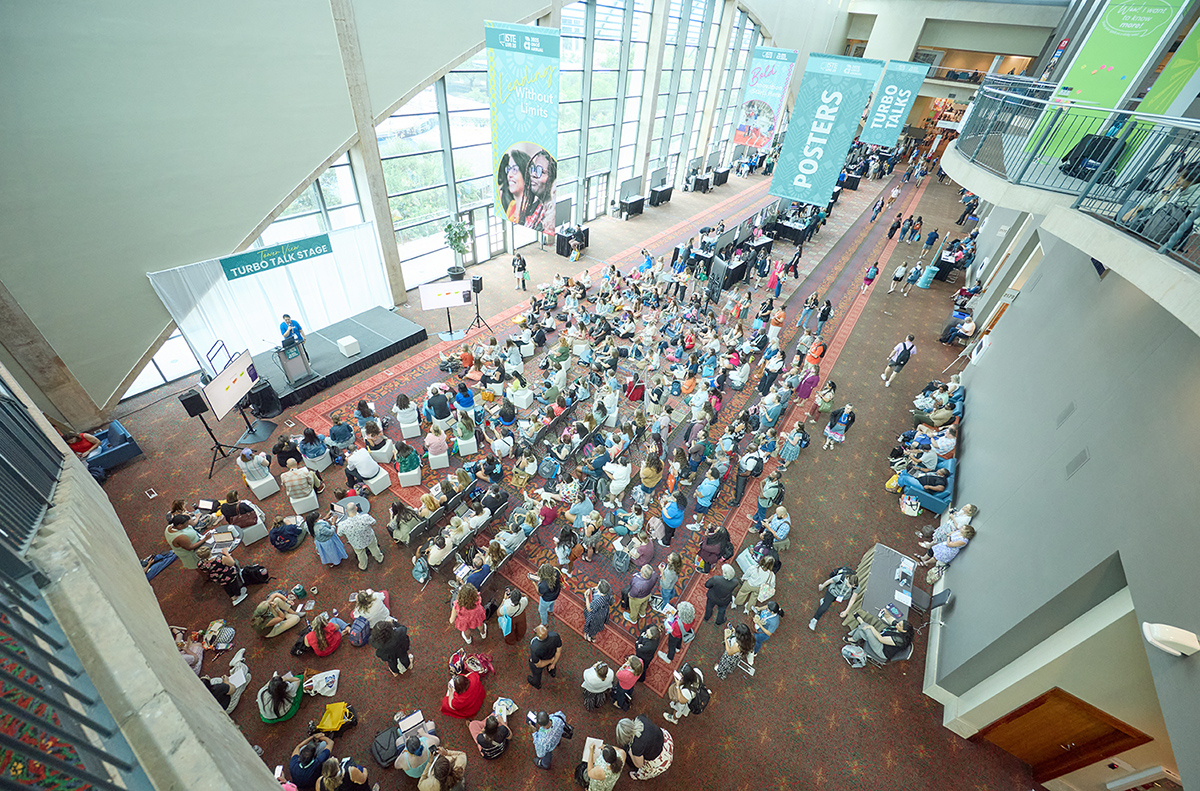
In-person: 30-minute fast paced, energizing session that provides attendees with bite-sized and actionable ideas. *Turbo Talk presentations typically take place in an open, public space.
Virtual: A 30-minute fast-paced, energizing session recorded via Zoom and uploaded to a Drive folder by May 1st. This format allows you to deliver bite-sized, actionable ideas that attendees can access virtually. Detailed recording guidelines and technical specifications will be provided in April.
See the conference mobile app in June for detailed maps including point to point navigation. The poster lobby map is available under Format-Specific Session Information: Posters.
Presenters can pick up their conference badge at the registration counters, located on Level 2, West Hall A2 of the Orange County Convention Center.
Registration hours:
Monday, June 29, 7 a.m. ‐ 5 p.m
Tuesday, June 30, 7:30 a.m ‐ 5 p.m.
Wednesday, July 1, 7:30 a.m. ‐ 2 p.m.
Details available in June
Bag check
Level 2, West Hall A1
Sunday, 7 a.m. ‐ 6p
Monday, 7 a.m. ‐ 5:30p
Tuesday, 7 a.m. ‐ 5:30p
Wednesday, 7 a.m. ‐ 3p.
$3 per bag checked (debit & credit cards only)
Presenters will receive three free checked bags. Tickets will be on your presenter badge sheet.
The Presenters' Suite is a dedicated space where presenters can connect, relax and/or prepare to present utilizing the sample presentation station equipment. You will need to show your presenter badge to access the room. Snacks will be available throughout each day on a first‐come, first-served basis. This space is for conference presenters only. The Presenters’ Suite, located in the Convention Center, Room W313 is open during the following times:
Presenters may access their rooms to familiarize themselves with presentation station equipment and test their laptop connections in the mornings before sessions start. There is also a presentation station set up in the Presenters' Suite located in room W313 in the Convention Center.
Presenters should arrive 15 minutes prior to their session room.
Details available in June
Please plan to coordinate shipping any materials with your hotel.
Due to security and safety concerns, drones cannot be flown or launched within or outside of the Convention Center or on hotel properties without specific approval. Please email conf-program@ascd.org with specifics of your desired usage to start the approval process.
Please follow these steps to access your virtually-presented session(s):
Your virtually-presented session will be held as a Zoom Meeting embedded onto your session detail page(s) on the conference website. You have all the same tools as your normal Zoom Meeting.You can log-in to your session now and start playing with tools so you’re prepared the day of. Whether you “leave meeting” or “end meeting” it will remain as a session so don’t worry about jumping in and out of there.
You have been added to your session as a speaker with alternate host privileges. Here is a short, helpful video that shows all host capabilities in meetings: https://youtu.be/Dcd6nNmtGo0
Being an alternate host means you have host capabilities like launching breakout rooms and managing attendee controls. Use this power with caution and note that your session volunteer will oversee the fundamentals (noted below). Here is some more thorough information on using tools:
Microphone
Camera
Security Shield
Participants
Screen Share
It’s important to decide what screen-sharing capabilities work best for your presentation ahead of time. Make sure to check “share sound” when playing videos or audio and optimize for video clip at the bottom of the initial pop-up if applicable. Here are some different screen sharing options:
Basic:
Advanced:
Files:
Polls/Quizzes
Recording
Closed Captioning
Breakout Rooms
Reactions
View
Below is a standard run of show for an ISTELive 26 and ASCD Annual 26 presentation:
| Time | Action |
|---|---|
| 10 minutes before your session | Navigate to your session using the program search to ensure you’re able to enter the room and connect to audio and video. |
| 7 minutes before your session | Be in your session room with your resources pulled up, camera and audio on. A room moderator will meet you to assist with any problems. You can interact with attendees through the chat while they’re in the waiting room. It’s a great way to engage attendees and let them know they’re in the right spot. |
| 2-5 minutes before your session | Your room moderator will open the room with your approval and allow attendees to filter in. Greet them verbally and again in the chat, letting them know you’ll be starting shortly. This is also a good time to remind people to download the resources in the digital tote, pull up an application you’ll be working with, or do anything else needed to prepare for your session. |
| At session start time | Your time to shine! Introduce yourself and take it away. It’s up to you to start and end your session on time. |
If you need help as you prepare for your presentation, please reach out to or chat with customer support on the conference homepage (located in the bottom right corner). If you need help during or close to your presentation time, please ask the moderator in your session room or reach out to the Virtual Website Support at the Help Desk in the website.
Thank you for being part of ISTELive and ASCD Annual Conference 26! We’re excited to welcome you as a presenter and grateful you’ll be sharing your ideas and expertise with educators from around the world. Your voice helps make this experience inspiring, engaging, and impactful for our community.
Once you arrive onsite, stop by the Presenters’ Suite in room W313 at the Orange County Convention Center. It’s a comfortable space to connect with fellow presenters, recharge, grab a snack, or do a final practice run at the AV station before your session. The Presenters’ Suite will be open Sunday through Wednesday.
For added convenience, Bag Check will be available on Level 2 in West Hall A1. Presenters receive three complimentary bag-check tickets for storing equipment or personal items. Tickets will be distributed with your name badge at Registration.
We can’t wait to welcome you to Orlando as we work together to design the future of learning!
Be clear on how much time you have to present — then break it down and draft a short script for each section. This will help you stay on track while making sure you hit all the points you're excited to share. Here are some things to consider in your scripting:
| INTRO 5 min |
Bio, objectives, why you're qualified to be speaking on your topic. TIP: Encourage participants to introduce themselves to their neighbors. Allow time for participants to download apps or sites needed. |
| DURING | Time for interactivity. List the main points you need to hit that correspond to slides – and don't forget to plan in time for interactivity. Add the steps for engagement activities. |
| CLOSING 5 min |
What is your call to action? Share thank you's, your contact info, and any follow-up plans or next steps for participants. TIP: Consider continuing the conversation in Connect, the online ISTE+ASCD community platform. Be sure to ask participants to complete the session evaluation. |
 |
Make it engaging [+]
|
 |
Practice, practice, practice [+]Practice is key. We can’t emphasize this enough – do multiple run-throughs of your session!
|
 |
Demonstrating and sharing information [+]Live demonstrations are helpful when navigating through the content you're discussing.
Uploading your presentation to your Digital Tote is a great way to share information. Attendees will be able to access the Digital Tote from the conference website and app. TIP: Access the Digital Tote from your presenter portal. Below your session, click ‘Upload handouts/resources’ to share a URL or PDF. Visuals & Accessibility Best Practices Use slides to support your key points.
|
 |
Using questions [+]Post discussion questions in your slides so they're visible to attendees during the session.
|
 |
Be on time.Plan to arrive 15 minutes prior to your session start time. Be ready to start on time. |
End on time.Our sessions have tight turnarounds. Use the last few minutes of your session to take down any contact information for follow-up questions if you can’t get to them during your session. |
| Ground rules | Have a plan for sharing how you would like attendees to respond or participate in the session, be clear and explicit, and model if possible. For interactive sessions, set up ground rules for interaction. Create a safe space. Let attendees know what’s not OK to share after the session. |
| Interactions | When should participants ask questions? Don’t forget to acknowledge any great comments, questions or ideas you're hearing! |
| Downloads | Consider sharing useful websites or apps during your introduction. Put this information on a slide with links or QR codes. Describe any details in advance to help attendees understand how the resources work. |
There can be a number of sessions following your presentation. Connect the dots to other sessions that complement yours so attendees can continue their learning journey. Read through the program in advance so you understand what content is happening surrounding your session.
We know this is an unbelievably busy time in our lives both personally and professionally. From the bottom of our hearts, we thank you for being a part of this event. The educators who attend ISTELive 26 and ASCD Annual 26 will leave with more confidence, more skills and a new-found community! We at ISTE+ASCD thank you for that.